If you have ever tried to file your income tax return in Pakistan, you have probably come across two names — eFBR and IRIS. And if you are confused about which one to use, you are not alone. Thousands of taxpayers across Karachi, Lahore, Islamabad, and every other city in Pakistan face the same question every tax season.
In this complete guide, we will break down everything you need to know about both portals — what they are, how they differ, which one is currently active, and how you can use IRIS to file your income tax return like a pro. Whether you are a salaried employee, a freelancer, a business owner, or filing for the very first time, this article is written for you.
What is eFBR? The Old Portal That Started It All
Before IRIS came into the picture, Pakistan’s Federal Board of Revenue operated a tax portal known as eFBR — short for Electronic Federal Board of Revenue. This was Pakistan’s first major attempt to digitize the tax filing system, and, for its time, it was a significant leap forward.
The eFBR portal allowed taxpayers to register their National Tax Numbers (NTNs), file income tax returns, check their Active Taxpayer List (ATL) status, and make e-payments — all online, without visiting an FBR office.
However, the system had serious limitations. It was not user-friendly. The interface was outdated, the process was complicated for ordinary citizens, and the backend infrastructure was slow and error-prone. Tax consultants in cities like Islamabad and Lahore would often spend hours just trying to submit a single return due to server timeouts and technical glitches.
The Federal Board of Revenue recognized these problems and began developing a more robust, integrated, and modern solution — which became IRIS.
What is IRIS FBR Pakistan? The Complete Answer
IRIS stands for Integrated Revenue Information System. It is the official, current tax filing portal of the Federal Board of Revenue (FBR) of Pakistan and is accessible at iris.fbr.gov.pk.
IRIS is not just a tax return filing portal. It is a comprehensive digital ecosystem for all income tax and sales tax related activities in Pakistan. From NTN registration and wealth statement submission to audit notices and refund claims — everything is now managed through IRIS.
The system is developed and maintained by PRAL (Pakistan Revenue Automation Limited), a subsidiary of FBR under the Ministry of Finance Pakistan. IRIS represents FBR’s commitment to digitizing the country’s Inland Revenue Service and bringing more taxpayers into the formal economy through the FBR’s broadening tax base initiative.
IRIS is the portal you need to use today for any and all income tax-related work with the Federal Board of Revenue.
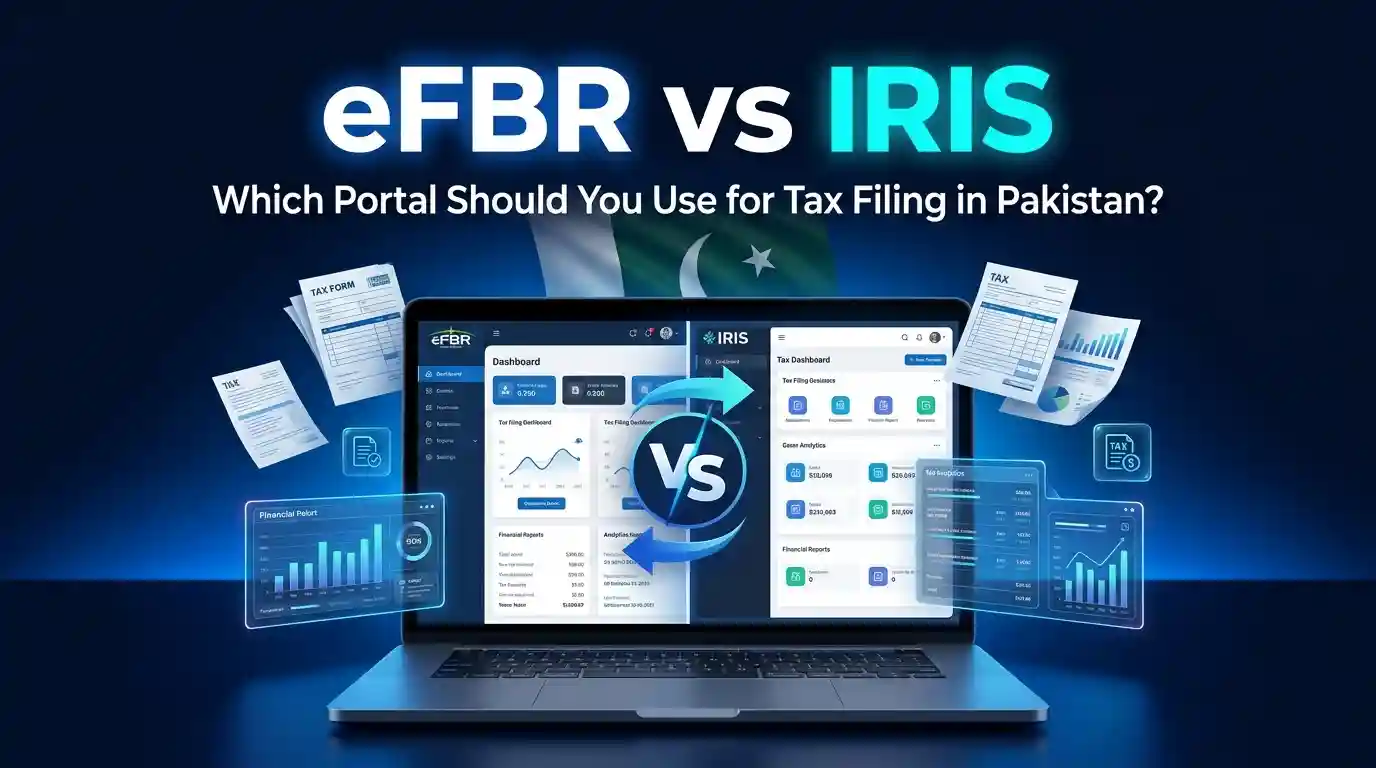
eFBR vs IRIS: The Real Difference Explained
This is the question most people search for, and the answer is actually quite simple once you understand the timeline.
| Feature | eFBR | IRIS |
|---|---|---|
| Portal Type | Legacy tax portal | Integrated revenue management system |
| Current Status | Largely discontinued | Fully active and official |
| NTN Registrationhttps://ettc.pk/how-to-get-ntn-number-in-pakistan/ | Basic online registration | Full e-enrollment with CNIC-based login |
| Income Tax Return | Limited functionality | Complete return filing for all taxpayer types |
| Sales Tax Return | Not integrated | Fully integrated for sales tax compliance |
| Wealth Statement | Not available | Available and mandatory for applicable taxpayers |
| ATL Check | Basic lookup | Real-time Active Taxpayer List verification |
| E-Payment (CPR) | Separate system | Integrated Computerized Payment Receipt (CPR) system |
| Mobile Access | None | FBR Tax Asaan App available |
| User Experience | Complicated and outdated | Improved interface with guided filing |
| FBR Notices | Manual correspondence | Digital audit notices and online responses |
The bottom line: If someone tells you to log in to eFBR, they most likely mean IRIS. The term “eFBR” is still casually used by many people when they actually mean the IRIS portal. For all practical purposes, IRIS is your portal for tax filing in Pakistan today.
To understand the IRIS portal in greater detail, you can read the full guide on FBR IRIS Portal in Pakistan published by Elite Tax Training Center.
Is eFBR Still Working in Pakistan?
This is one of the most frequently asked questions on Google, and the direct answer is: No, eFBR in its original form is no longer the primary portal. FBR has transitioned fully to IRIS. Some residual services and legacy links may still redirect users, but the active, functional portal for all taxpayer activities is IRIS at iris.fbr.gov.pk.
If you are trying to log in to eFBR and encountering errors, that is likely because the system is no longer actively maintained. Switch to IRIS immediately and you will find the process far smoother.
How to Login to IRIS FBR Portal: Step-by-Step Guide
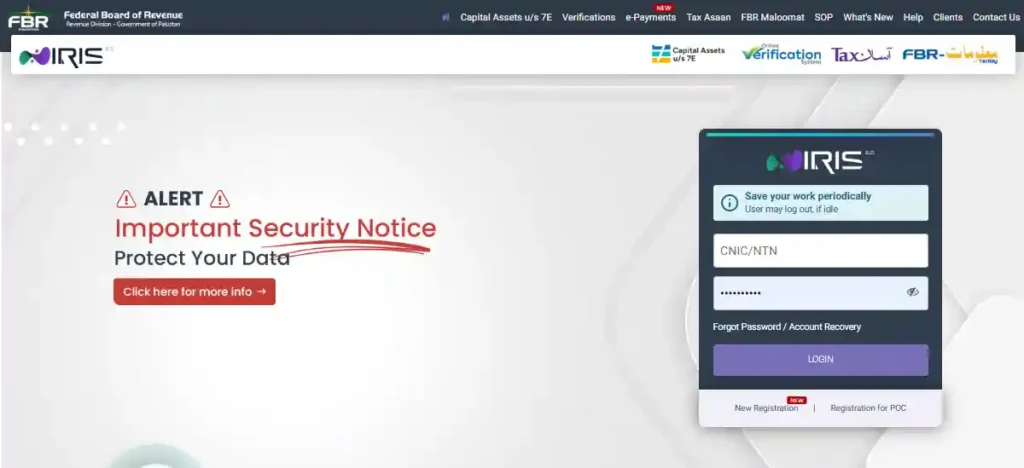
Getting started on IRIS is straightforward once you know the steps. Here is a complete beginner’s guide to IRIS login:
Step 1: Visit the Official IRIS Portal Go to https://iris.fbr.gov.pk — this is the only official URL. Do not use any third-party site.
Step 2: Enter Your Credentials Your login ID is your NTN number or CNIC number (for individuals). Your password is the one you created during registration.
Step 3: Enter the CAPTCHA IRIS uses a CAPTCHA verification to prevent automated logins. Enter it carefully.
Step 4: Dashboard Access Once logged in, you will see your taxpayer dashboard where you can file returns, check your ATL status, view notices, and make e-payments.
Forgot Your Password? Click on “Forgot Password” on the login page. You will receive a reset link on your registered email or mobile number. If you need more help, you can follow the detailed guide on FBR IRIS Login Pakistan at ETTC.
Common Login Problems and Solutions:
- Internal Server Error: This usually happens during peak hours. Try logging in early morning or late evening.
- CNIC Not Recognized: Ensure you are registered on IRIS. If not, complete e-enrollment first.
- Password Issues: Use the “Forgot Password” option and make sure your registered email is accessible.
- Browser Compatibility: Use Google Chrome or Mozilla Firefox for best results. Clear cache if the page does not load properly.
How to Register on FBR IRIS Portal: First-Time Registration Guide
If you have never filed taxes before, your first step is FBR e-enrollment — registering on the IRIS portal to get your NTN and create your taxpayer profile.
Here is how to register on IRIS FBR for the first time:
Step 1: Go to iris.fbr.gov.pk and click on “Registration for Unregistered Person”
Step 2: Enter your CNIC number, name, date of birth, and mobile number linked to your CNIC.
Step 3: Verify your identity through the OTP sent to your registered mobile number.
Step 4: Fill in your personal information — address, employment details, bank account information.
Step 5: Submit the form. Your NTN number will be generated automatically.
Step 6: Set your login password and access your IRIS account.
Once registered, you are officially in the FBR system and can start filing your income tax returns, wealth statements, and more. For a guided walkthrough, check out How to File Income Tax Return in Pakistan — a comprehensive resource from ETTC.
How to File Income Tax Return in Pakistan Using IRIS (2025–26 Guide)
Filing your annual income tax return through IRIS is mandatory for most individuals earning above the taxable threshold in Pakistan. Here is a simplified process for salaried employees:
Documents You Need Before Filing:
- CNIC
- Salary certificate or payslips from your employer
- Bank statements for the tax year
- Details of any additional income (rent, freelance, business)
- Property and vehicle ownership details (for wealth statement)
- Utility bills (for expense declaration)
The Filing Process:
Step 1: Login to IRIS Access your dashboard at iris.fbr.gov.pk using your NTN and password.
Step 2: Select Income Tax Return. From the left menu, click on “Declaration” and then “Income Tax Return.” Choose the correct tax year (Pakistan’s tax year runs from July 1 to June 30).
Step 3: Fill in Salary Income. Under the salary section, enter your gross salary, tax already deducted by your employer, and any other allowances.
Step 4: Declare Other Income. Add any rental income, business income, or capital gains as applicable.
Step 5: File Wealth Statement. The wealth statement (also called Statement of Assets and Liabilities) must be filed alongside your return. This includes your property, vehicles, investments, and bank balances.
Step 6: Verify and Submit Review all entries carefully. Once satisfied, submit the return. You will receive an acknowledgment receipt.
Step 7: Pay Any Tax Liability If there is a tax liability, pay it through the FBR e-payment portal using a Computerized Payment Receipt (CPR). You can also pay through online banking or at designated bank branches.
For a complete breakdown of the filing procedure tailored to different taxpayer types, read the full Pakistan Tax Return Guide at ETTC.
What is NTN in Pakistan? Why You Need It
NTN stands for National Tax Number. It is a unique identification number issued by the Federal Board of Revenue to every taxpayer in Pakistan. For individual taxpayers, the CNIC number itself serves as the NTN in most cases.
Your NTN is mandatory for:
- Filing income tax returns
- Opening a business bank account
- Registering a company or business
- Claiming tax refunds
- Importing or exporting goods
- Applying for government contracts
You can verify your NTN online through the IRIS portal or by visiting FBR’s official website at fbr.gov.pk. Getting your NTN registered on IRIS is the very first step toward becoming a tax filer in Pakistan.
Benefits of Being a Tax Filer in Pakistan: Filer vs Non-Filer
Many people ask — why should I bother filing taxes? The answer in Pakistan is very practical. The government has created a significant financial difference between filers and non-filers through withholding tax rates and transaction-based charges.
Key Benefits of Being a Tax Filer:
- Lower withholding tax on banking transactions — Filers pay significantly less tax on cash withdrawals, banking transactions, and prize bond winnings.
- Reduced property transaction tax — When buying or selling property in Karachi, Lahore, Islamabad, or anywhere in Pakistan, filers pay a lower tax rate than non-filers.
- Lower vehicle registration tax — Vehicle purchase and transfer taxes are reduced for active filers.
- Business advantages — If you run a business, being a filer opens up more contracts, especially government tenders.
- Avoid SIM blocking — FBR and PTA have been cracking down on non-filers’ mobile SIMs. Filing your return protects your number.
- Avoid penalties — The penalty for not filing your income tax return can be significant, including heavy fines and legal notices.
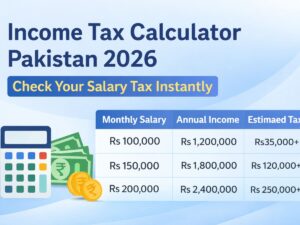
The difference between a filer and non-filer can translate into tens of thousands of rupees in savings every year, particularly on property transactions and banking activities. Use the Income Tax Calculator Pakistan 2026 at ETTC to estimate your tax liability and see exactly how much you can save.
Who Needs to File a Tax Return in Pakistan?
Under the Income Tax Ordinance 2001, the following persons are legally required to file an income tax return in Pakistan:
- Any individual whose taxable income exceeds the annual threshold (currently PKR 600,000 per year)
- Owners of property with annual rent exceeding the threshold
- Business owners and Association of Persons (AOP)
- Any person who has NTN — even if income is below threshold, filing is strongly recommended
- Companies and corporations registered in Pakistan
- Salaried employees where the employer deducts tax at source
- Non-resident Pakistanis with income or assets in Pakistan
Even if you are not legally required to file, staying on the Active Taxpayer List provides massive financial advantages as described above.
What is the Last Date for Tax Return in Pakistan?
The last date to file income tax return in Pakistan for individual taxpayers is typically September 30 of each year, covering the tax year ending June 30.
For tax year 2024–25, the deadline is September 30, 2025, unless extended by FBR through a notification.
FBR frequently extends deadlines, so always check the latest notifications on fbr.gov.pk or follow ETTC’s Tax Blogs Pakistan for up-to-date information.
Penalty for Late Filing: If you miss the deadline without extension, FBR can impose a penalty of PKR 1,000 per day up to a maximum of 25% of the tax payable. Repeated non-compliance can lead to further legal action and increased audit scrutiny.
How to Check Your Active Taxpayer Status on FBR
Checking whether you are on the FBR Active Taxpayer List (ATL) is simple:
Method 1: IRIS Portal Log in to your IRIS account at iris.fbr.gov.pk. Your filer status is displayed on your dashboard.
Method 2: SMS Service Send your CNIC number to 9966 via SMS. You will receive an instant reply with your ATL status.
Method 3: FBR Website Visit fbr.gov.pk, click on “Online Verification,” and then “Active Taxpayer List” to check your status.
Method 4: Tax Asaan App Download the FBR Tax Asaan App on your smartphone and check your filer status instantly.
If you are not on the ATL, it means you either have not filed a return or your return was not properly processed. Filing your return promptly and accurately resolves this.
What is CPR in FBR Payment?
CPR stands for Computerized Payment Receipt. It is the official proof of tax payment generated by the FBR system after you pay your taxes.
When you pay income tax, advance tax, or sales tax through the FBR e-payment portal (epayments.fbr.gov.pk) or through online banking using the FBR payment gateway, a CPR is generated. This receipt contains:
- A unique CPR number
- Amount paid
- Tax head (income tax, sales tax, etc.)
- Date of payment
- Taxpayer NTN
You can download your CPR directly from the IRIS portal. The CPR must be attached or referenced when filing your income tax return to confirm that due taxes have been deposited.
How to File Wealth Statement on IRIS FBR
The wealth statement is a mandatory declaration filed alongside your income tax return. It shows FBR your total assets and liabilities — property, vehicles, cash, investments, and loans.
Here is how to file it:
Step 1: Log in to IRIS and go to Declaration → Wealth Statement
Step 2: Enter your opening wealth (assets and liabilities at the start of the tax year)
Step 3: Add all additions during the year — property purchased, vehicles bought, investments made
Step 4: Declare liabilities — outstanding loans, mortgages, etc.
Step 5: Reconcile with your income — your net wealth increase should match your declared income
Step 6: Submit the statement alongside your income tax return
Incorrect or inconsistent wealth statements are one of the most common reasons for FBR audit notices. Make sure your assets align with your declared income sources.
IRIS Portal Issues: Why Is IRIS Not Working?
If you are facing issues with the IRIS portal, here are the most common problems and their solutions:
Problem: Internal Server Error Solution: This is typically a peak-hour traffic issue. Try again during off-peak hours — early morning (6–8 AM) or late night (10 PM–12 AM).
Problem: Login Page Not Loading Solution: Clear browser cache and cookies. Use Chrome or Firefox. Avoid Internet Explorer.
Problem: OTP Not Received Solution: Ensure your mobile number is correctly registered with FBR. Contact the FBR helpline at 051-111-772-772.
Problem: Return Submission Stuck Solution: Check your internet connection. Ensure all mandatory fields are filled. Try submitting in a different browser session.
Problem: Password Forgot / Account Locked Solution: Use the “Forgot Password” option. If your recovery email is also lost, visit the nearest FBR Regional Tax Office (RTO) or facilitation center with your original CNIC.
FBR Helpline Numbers:
- National Helpline: 051-111-772-772
- Karachi: 021-99220690
- Lahore: 042-99203900
- Islamabad/Rawalpindi: 051-9217500
IRIS FBR for Different Cities: Regional Tax Filing in Pakistan
Whether you are in Karachi, Lahore, Islamabad, Rawalpindi, Faisalabad, Multan, Peshawar, Quetta, Sialkot, or any other city — the IRIS portal is the same nationwide. You use https://iris.fbr.gov.pk regardless of your location.
However, if you need in-person assistance, each major city has FBR facilitation centers and Regional Tax Offices (RTOs):
- Karachi: FBR Regional Tax Office, Karachi (multiple zones including DHA and Clifton)
- Lahore: FBR RTO Lahore, Gulberg and Model Town areas
- Islamabad/Rawalpindi: FBR RTO Islamabad, Blue Area; Rawalpindi facilitation center near Saddar
- Faisalabad: FBR RTO Faisalabad
- Multan: FBR RTO Multan
- Peshawar: FBR RTO Peshawar
- Quetta: FBR Zone Quetta
- Hyderabad: FBR Facilitation Center Hyderabad
- Sialkot: FBR facilitation services available through RTO Lahore for Sialkot residents
For online filers, location does not matter. Everything is done through IRIS from the comfort of your home or office. Residents of Bahria Town Islamabad, DHA Karachi, or Gulberg Lahore — all use the same IRIS portal.
Can I File My FBR Tax Return Myself Without a Consultant?
Yes, absolutely. IRIS is designed to be used by individual taxpayers directly. For simple cases — especially salaried employees with a single employer — the process is relatively straightforward once you understand the system.
However, for more complex situations — business income, multiple income sources, rental income, foreign income, or if you are dealing with an FBR audit notice — hiring a qualified tax consultant is strongly recommended.
The good news is that you do not have to choose between doing it yourself or hiring a consultant without any knowledge. You can learn tax filing through a structured course and then manage your own taxes confidently.
For those who want to go a step further and build a career as a tax consultant, the Tax Consultant Course in Islamabad at Elite Tax Training Center provides hands-on, practical training in FBR IRIS, income tax filing, sales tax, withholding tax, and more.
Does FBR Have a Mobile App?
Yes. FBR has developed the Tax Asaan App (available on Google Play Store and Apple App Store). The app allows you to:
- Check your filer/ATL status
- Verify NTN numbers
- Pay taxes and generate CPR
- Calculate withholding tax
- Access FBR notifications and circulars
- File simple income tax returns
The Tax Asaan App is a great supplement to IRIS, especially for quick lookups and status checks. However, for full return filing with wealth statements, the desktop version of IRIS remains more reliable and feature-complete.
How Long Does FBR Refund Take?
If you have excess tax deducted at source and are entitled to a refund, you can file a refund claim through IRIS. The refund process in Pakistan has historically been slow, but FBR has been working on improving it.
Practically speaking, refunds can take anywhere from 3 months to over a year depending on your case complexity, documentation, and whether FBR initiates an audit.
To claim a refund:
- Log in to IRIS
- Go to Refund → Refund Application
- Fill in the details of excess tax paid with CPR references
- Submit and track the status through your IRIS dashboard
Having a tax professional handle your refund claim significantly improves the chances of faster processing.
Learning FBR and IRIS: Courses That Can Change Your Career
Understanding IRIS is not just about filing your own return. In today’s Pakistan, tax compliance is a skill in massive demand. Every business, every salaried employee, every freelancer needs someone who understands the FBR system inside and out.
This is where professional tax training comes in.
Elite Tax Training Center (ETTC) in Islamabad offers Pakistan’s most comprehensive practical tax courses, specifically designed to make you job-ready and business-ready in the shortest time possible.
Why choose ETTC?
ETTC’s courses are taught by practicing tax professionals and chartered accountants with years of hands-on FBR experience. You do not just learn theory — you actually work on real IRIS portal exercises, live return filing, wealth statement preparation, sales tax filing, and much more.
ETTC’s faculty includes mentors like Chaudhry Hassan, Syed Baqir Raza, and Muhammad Ali — all experienced taxation professionals actively working in the field. You can learn more about the faculty on the Our Mentor page.
Courses available at ETTC:
- Tax Consultant Course in Islamabad — Complete FBR IRIS and income tax training for professionals
- Certified Tax Advisor Course in Pakistan — Advanced-level certification for aspiring tax advisors
- Tax Consultant Course with FBR IRIS Guide — Specifically focused on IRIS portal mastery
- UAE Tax Course in Pakistan — For professionals looking to work in the UAE market
- UK Taxation Course in Pakistan — For those targeting UK-based accounting roles
- USA Tax Course in Pakistan — For professionals in US-facing accounting and finance
Whether you are a fresh graduate, a working professional, an accountant looking to upskill, or a business owner wanting to manage your own taxes, ETTC has a course for you. Explore the full course catalog on ETTC’s website.
ETTC is based in Islamabad and is recognized as one of Pakistan’s leading tax training institutes. Learn more about the institution on the About Elite Tax Training Center page.
Tax Calculators: Know Your Tax Before You File
Before you sit down to file your return, it helps to know approximately how much tax you owe. ETTC offers several free tax calculators to help you:
- Income Tax Calculator Pakistan 2026 — For salaried and other individual taxpayers
- Business Tax Calculator Pakistan — For business owners and sole proprietors
- Agriculture Tax Calculator Pakistan — For agricultural income declarations
- Regime Tax Calculator Pakistan — Compare tax under different tax regimes
- Supply Tax Calculator Pakistan — For businesses involved in goods supply
These calculators are updated with the latest FBR tax slabs for 2025–26 and are among the most accurate free tools available online for Pakistani taxpayers.
Frequently Asked Questions (FAQs)
Q1: What is IRIS FBR Pakistan? IRIS (Integrated Revenue Information System) is the official online tax portal of Pakistan’s Federal Board of Revenue (FBR). It is used for NTN registration, income tax return filing, wealth statement submission, sales tax returns, e-payments, and all other income tax-related activities. Access it at iris.fbr.gov.pk.
Q2: Has IRIS replaced eFBR? Yes. IRIS has fully replaced eFBR as Pakistan’s primary tax portal. eFBR was the older system and is no longer actively used. All tax filing in Pakistan now takes place through IRIS.
Q3: What is the difference between eFBR and IRIS? eFBR was the older, simpler portal with limited functionality. IRIS is the modern, integrated system that covers income tax, sales tax, wealth statements, audit proceedings, refund claims, and e-payments — all in one platform. IRIS is the currently active and official FBR portal.
Q4: How do I login to IRIS FBR? Visit iris.fbr.gov.pk, enter your NTN or CNIC as your login ID, enter your password, complete the CAPTCHA, and click login. If you forgot your password, use the “Forgot Password” option to reset it via your registered email or mobile number.
Q5: Is it mandatory to file a tax return in Pakistan? Yes, if your income exceeds the taxable threshold (currently PKR 600,000 annually), you are legally required to file an income tax return. Even below the threshold, filing is strongly recommended to gain Active Taxpayer List status and associated financial benefits.
Q6: What are the benefits of being a tax filer in Pakistan? Tax filers in Pakistan pay lower withholding taxes on banking transactions, property purchases, vehicle registrations, and prize winnings. They also avoid FBR penalties, SIM blocking notices, and are preferred for government contracts and business dealings.
Q7: Can I file income tax return without a tax consultant? Yes, for simple cases like single-employer salaried individuals. For complex cases involving business income, multiple sources, rental income, or FBR audit notices, a qualified tax consultant is recommended.
Q8: What is the last date for income tax return in Pakistan? The standard deadline is September 30 each year for the tax year ending June 30. FBR often extends this deadline — check fbr.gov.pk or ETTC’s Tax Blogs for the latest updates.
Q9: What is the URL of the IRIS FBR portal? The official URL is https://iris.fbr.gov.pk — always use this link directly. Be cautious of phishing sites using similar URLs.
Q10: Can non-resident Pakistanis file taxes on IRIS? Yes. Non-resident Pakistanis with income or assets in Pakistan are required to file returns and can do so through IRIS. There is also a specific option on the FBR login page for overseas Pakistanis.
Conclusion: Stop Confusing eFBR and IRIS — Start Filing Today
To wrap everything up clearly: eFBR is the past, IRIS is the present. If you are filing income tax returns, checking your ATL status, registering your NTN, or paying taxes in Pakistan, you use IRIS at iris.fbr.gov.pk.
The biggest mistake Pakistani taxpayers make is either not filing at all, or filing incorrectly due to lack of knowledge. Both mistakes are costly. Being on the Active Taxpayer List saves you money on every major financial transaction in Pakistan.
Whether you are a first-time filer in Islamabad, a business owner in Karachi, a freelancer in Lahore, or a salaried professional in Faisalabad — IRIS is your portal, and tax compliance is your responsibility and your financial advantage.
If you want to master the IRIS portal, understand income tax law, and build a career as a certified tax consultant, there is no better place to start than the Elite Tax Training Center (ETTC).
Ready to become a tax professional in Pakistan?
Book Your Seat in the Advanced Taxation Course at ETTC — Pakistan’s leading practical tax training institute with expert mentors, real-world IRIS training, and career-focused curriculum.
Have questions before enrolling? Contact ETTC directly — the team is ready to guide you toward the right course for your goals.
Your tax journey starts with one step. Make it the right one.